
Schema Markup for Small Business: What to Add and Why
Jul 31, 2026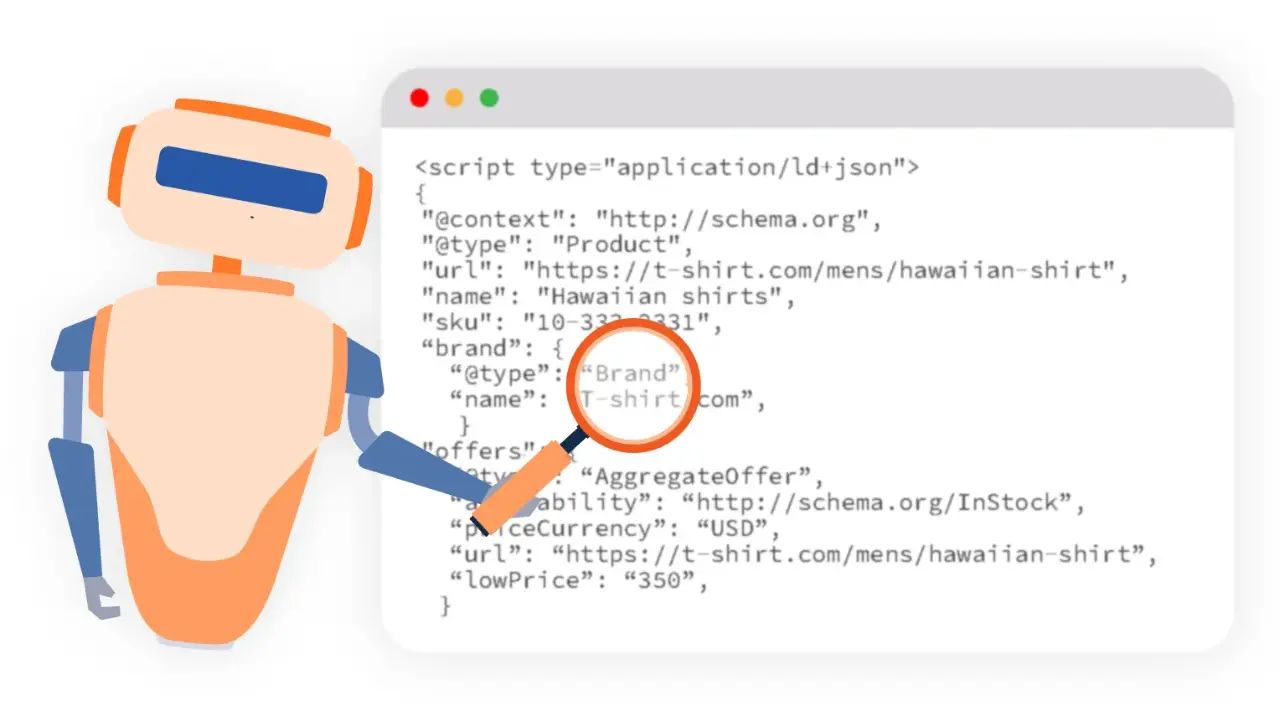
Schema Markup for Small Business: What to Add and Why
Schema markup is code that tells search engines and AI what your content means. Small businesses should add LocalBusiness, FAQPage, Article, and Review schema. It powers rich results in Google and makes your pages easier for AI to cite. You do not need to code it yourself, most site builders and plugins add it for you.
Schema markup sounds technical, but the idea is simple: it is structured code that labels your content so Google and AI know exactly what they are looking at—identifying phone numbers, reviews, business locations, and FAQs. That clear labeling helps your site earn rich search features and get cited by AI platforms. Here is what matters.
What Schema Actually Does
Search engines crawl your web pages, but schema removes the guesswork. It powers rich search features such as star ratings, interactive FAQ dropdowns, and business hours. Additionally, it makes your content straightforward for AI tools to parse and reference. Explore the complete vocabulary at Schema.org and review Google's official structured data documentation.
4 Essential Schema Types for Small Businesses
1. LocalBusiness Local SEO
Defines the business name, address, phone number, operating hours, and service area. Essential for local search visibility and Google Maps placement.
Best for: Brick-and-mortar storefronts and local service providers.
2. FAQPage Rich Snippets
Structures question-and-answer content so it can display as interactive dropdowns in search results, enabling search engines and AI to extract answers easily.
Best for: Earning extra SERP real estate and AI search citations.
3. Article Content
Identifies blog posts and articles by labeling titles, authors, and publication dates, helping content index accurately across search engines.
Best for: Blog content, tutorials, and industry guides.
4. Review Social Proof
Formats customer ratings so review stars appear directly beneath the business's search engine listings, increasing organic click-through rates.
Best for: Product pages, customer testimonials, and service trust signals.
How to Add Schema Without Writing Code
If you use a website builder like Kajabi, Squarespace, or WordPress, schema functionality is often built-in or accessible through SEO plugins. For FAQ and Article schema, many content management tools allow you to populate custom fields rather than writing raw code. If custom structured data is required, free online schema generators can produce the markup for easy insertion into your page header.
How to Test and Verify Your Markup
Once added, test your URLs using Google's Rich Results Test. Enter your page URL to verify which structured data formats Google detects and confirm their validity. A quick five-minute audit ensures your structured data is correctly configured.
For a quicker look while you browse, a free Chrome extension for on-page SEO lists the schema a page carries, so you can spot a missing LocalBusiness or FAQPage block before running the full test.
Frequently Asked Questions
What is schema markup?
Schema markup is code that labels your content so search engines and AI understand what it means, such as the business details, reviews, or FAQs. It powers rich results in Google and makes your content easier for AI to cite.
What schema should a small business add?
The four most useful types are LocalBusiness (the business details), FAQPage (its questions and answers), Article (its blog posts), and Review (its ratings). Together they cover most small business needs.
Do I need a developer to add schema?
Usually not. Most website builders and SEO plugins add schema automatically or through a simple settings panel. For FAQ and Article schema, many tools let you fill in fields rather than write code.
How do I check my schema is working?
Use Google's free Rich Results Test. Paste in your page URL and it shows which schema Google detected and whether it is valid. It is a quick way to confirm your markup is doing its job.
Learn SEO the 20-Minute Way
Our SEO short course shows you how to get pages found on Google through practical, bite-sized lessons, skills you can use in a marketing role or for clients.
Browse short coursesLearn digital marketing in 20 minutes a day
Self-paced courses from someone who runs digital for two national brands. Build skills you can show an employer or a client.
