Google for Small Business 2027: Every Free Google Tool, What It Costs and How Long Setup Takes
Nov 12, 2026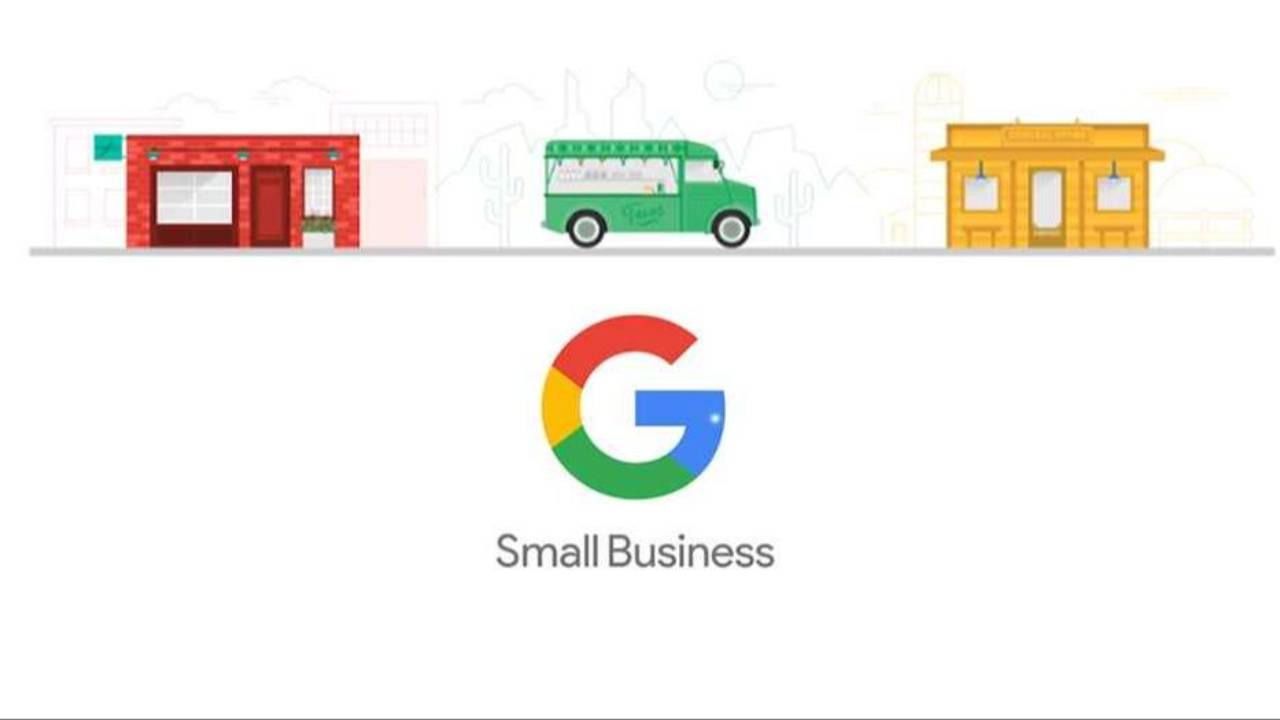
Updated January 2027 · Written by Adrian Prokopiec, 20 Minute Marketing
Quick answer: Google's small business hub at business.google.com is a set of guide pages that point you to Google's tools; it isn't a single dashboard. For an Australian small business in 2027, Business Profile, Search Console, Google Analytics, Merchant Center free listings and Skillshop training are all free. Google Ads has no set fee: you choose an average daily budget and Google caps a month's spend at 30.4 times that figure. Google Workspace starts at A$9.90 per user per month on an annual plan (A$11.80 flexible). By our estimate, a service business can set up the free essentials in about 9.5 hours in month one.
When Google refreshed its small business hub in late 2025, the headlines made it sound like a new all-in-one control panel. It wasn't, and in 2027 it still isn't. What it is, though, is a useful map of the free and paid Google tools a small business can use, and those tools have changed a lot in the past year, mostly because of AI.
Our original guide to Google's small business hub covered the launch. This is the 2027 version. We went back to Google's own pages to check what the hub is now, what each tool costs in Australian dollars, and what's new. Then we worked out how long each tool really takes to set up, so you can plan your first month instead of guessing.
What Google's Small Business Hub Is in 2027
Google's business essentials page calls itself "a resource to help your business stand out online." It groups Google's products into three jobs: be where your customers are (Business Profile, Merchant Center, Google Ads and YouTube Ads), run and measure the business (Google Workspace and Google Analytics), and get a website built (starter options including the free Google Sites). Its country selector lists an "Australia and New Zealand" version at business.google.com/aunz, which is where Australian product pages such as the Business Profile page now live.
Here's the honest correction to a lot of what was written in 2025, including some of our own early framing: the hub doesn't merge your accounts, logins or reports. Each tool still has its own interface, its own settings and its own help centre. The hub is a signpost. That's fine, as long as you know it, because the real work happens inside each tool.
What's Changed in Google's Small Business Tools for 2027
Most of what's new since the hub launched is AI, and it's arriving inside the tools rather than in the hub itself. These are the changes we could confirm on Google's own pages.
1. Google's free training moved to Google Skills
In October 2025 Google launched Google Skills, bringing nearly 3,000 courses, labs and credentials from Google Cloud, Google DeepMind, Grow with Google and Google for Education into one platform, with "extensive no-cost options." The marketing product training (Google Ads, Analytics and Business Profile) still sits in Skillshop, which describes itself as free online training. So in 2027 there are two Google learning sites to know: Skills for AI and general tech, Skillshop for the marketing tools.
2. Gemini is now part of Workspace pricing
Google folded its Gemini AI features into the Workspace Business plans in 2025 rather than selling them as an add-on. On the Australian Workspace page, Business Starter includes the Gemini assistant in Gmail, while Business Standard adds it across Gmail, Docs, Meet and more. The prices below already include those features.
3. Google Ads and Analytics now come with an AI adviser
In May 2026 Google introduced Ask Advisor, an AI agent that works across Google Ads and Google Analytics to help plan, launch and review campaigns. In August 2026 Google followed with AI summaries on the Analytics homepage, AI insight cards in Google Ads and benchmarking against similar businesses. Google says these features are in beta for English-language accounts. Useful, but an adviser is only as good as the question you ask it, which is why knowing the basics still matters.
4. Merchant Center dropped "Next" from its name
In July 2026 Google confirmed that Merchant Center Next is now just Merchant Center. Nothing changes for your account or product data, but older guides that tell you to choose between the two versions are out of date.
5. Search Console now reports AI visibility
In June 2026 Google added Search generative AI performance reports to Search Console, showing how often your pages appear in AI Overviews and AI Mode. Our 2027 small business SEO guide explains what the report shows and what it doesn't.
6. Australian small businesses are behind on AI, and Google is paying attention
A Tech Council of Australia report supported by Google, published in October 2026, found that 25% of Australian small and medium businesses use AI and only 5% use it broadly, and estimated that wider adoption could be worth $93 billion a year, according to Google Australia. Expect more Google training and AI features aimed at Australian small businesses through 2027.
The Google Small Business Tools Worth Setting Up in 2027
Google Business Profile (free)
Your listing on Google Search and Maps, and still the highest-value free tool for any business with a location or service area. Google's Australian Business Profile page says creating a profile is free, and lists bookings, quote requests, service areas, posts, review replies and insights on the search terms people use to find you. Verification now comes in several forms, including phone or text, email, live video call, video recording and postcard. Google's verification help page says reviews take up to 5 business days and most postcard codes arrive within 14 days, so start this first. For what to do once you're verified, see our Business Profile optimisation guide.
Google Search Console (free)
Google describes Search Console as "a free service offered by Google" that shows how Google sees your site and which searches you appear for. It's the only place you'll see the actual search terms that bring people to your website. Our Search Console guide for small business walks through setup.
Google Analytics (free)
Google says Google Analytics gives you its tools "free of charge." The paid version, Analytics 360, is built for large businesses with large data volumes, and you won't need it. Set up key events (enquiries, calls, bookings, sales) on day one or the reports won't tell you much. Our GA4 setup guide has the steps.
Google Merchant Center (free listings, ads optional)
If you sell physical products, Merchant Center puts them in front of shoppers. Google's help page on free listings says your products "can appear at no cost on Google Search," along with the Shopping tab, Images and Lens, though placement isn't guaranteed. Each product needs an ID, title, link, image, price, description and availability. Paid Shopping ads are a separate, optional step.
Google Ads (you set the budget)
There's no subscription or set fee. You choose an average daily budget per campaign and Google's budget rules let it spend up to two times that on a single day, but no more than 30.4 times it in a month. Most of the money wasted in Google Ads comes from launching before the Business Profile, tracking and landing page are ready, so this sits later in the plan. Our Google Ads setup guide and our breakdown of what Google Ads costs in Australia cover the detail.
Skillshop (free)
Google's own free training for Google Ads, Analytics and Business Profile, with certification assessments at the end. It teaches you which buttons to press. It doesn't teach you which campaigns are worth running for a plumber in Ringwood or a café in Fremantle, which is the gap our comparison of Google's free training and paid courses looks at.
Google Workspace (paid, from A$9.90)
Business email on your own domain, plus Docs, Drive, Meet and Gemini. The prices on Google's Australian page, per user per month:
| Workspace plan | Annual plan (AUD) | Flexible plan (AUD) | Gemini AI included |
|---|---|---|---|
| Business Starter | $9.90 | $11.80 | Gemini in Gmail, plus the Gemini app |
| Business Standard | $19.80 | $23.60 | Gemini in Gmail, Docs, Meet and more |
| Business Plus | $30.90 | $37.00 | As Standard |
Source: Google Workspace Australia. Google offers a 14 day trial without payment. Plans cover up to 300 users.
Our 2027 Google Tools Cost and Setup Time Table
Google tells you what its tools do. It doesn't tell you how long they take. This table is our own estimate for a typical Australian small business with an existing website. Costs are from Google's pages. Your times will vary with your website platform and how many products or locations you have.
| Tool | Cost (AUD) | Setup time (our estimate) | Monthly upkeep (our estimate) | Who needs it |
|---|---|---|---|---|
| Google Business Profile | Free | 1 hour, plus up to 5 business days for verification review | 2 hours | Every business with a location or service area |
| Google Search Console | Free | 30 minutes | 1 hour | Every business with a website |
| Google Analytics | Free | 1.5 hours, including key events | 1 hour | Every business with a website |
| Google Workspace Business Starter | $9.90 annual or $11.80 flexible, per user per month | 2 hours | 30 minutes | Anyone still using a free Gmail address for business |
| Merchant Center | Free listings; Shopping ads optional | 3 hours | 1 hour | Businesses selling physical products |
| Google Ads | Your budget; monthly cap of 30.4 times your average daily budget | 3 hours | 4 hours | Businesses ready to pay for leads |
| Skillshop (one Google Ads certificate) | Free | 6 hours of study and assessment | None | Anyone running their own Google Ads |
| Total, all seven | $11.80 plus ad spend | 17 hours | 9.5 hours | 26.5 hours in month one |
Our calculation. Times are our estimates, not Google figures. Workspace cost shown is one user on the flexible plan.
Most businesses don't need all seven straight away. Here's how the first month looks for three common setups, again our own calculation from the table above:
- Service business, free tools only (Business Profile, Search Console, Analytics, Workspace): 5 hours of setup and 4.5 hours of upkeep, so 9.5 hours in month one. Spread over 20 working days, that's under 30 minutes a day. Cost: $11.80 for one Workspace user.
- Service business running Google Ads (add Ads and one Skillshop certificate): 22.5 hours in month one, or about 68 minutes a working day. At a $20 average daily budget, your ad spend can't exceed $608 for the month (30.4 times $20).
- Online retailer using everything: 26.5 hours in month one, or about 80 minutes a working day, plus ad spend.
For comparison, our Essentials course is about 18 hours of lessons. That's not a coincidence: the first month of doing this properly is about the same time investment as learning it properly.
The Right Order to Set Up Google Tools in 2027
- Week 1: Business Profile. Start verification first, because it's the step you can't speed up.
- Week 1: Search Console and Analytics. Both need time to collect data, so turn them on early.
- Week 2: Workspace, if you're still on a free Gmail address. A domain email looks more trustworthy on quotes and invoices.
- Week 2 to 3: Merchant Center free listings, if you sell products.
- Week 3 to 4: Skillshop, then Google Ads. Learn first, launch one campaign, and set a daily budget you'd be comfortable seeing spent at the 30.4 times cap.
Once the tools are running, the work becomes a weekly habit: replying to reviews, checking which searches are bringing people in, and fixing whichever page or ad isn't pulling its weight. That's exactly the kind of thing that fits in 20 minutes.
Learn the Strategy, Not Just the Buttons
Google's free training is good at explaining Google's products. It's less useful for deciding where your budget should go, how Google fits with email, social and your website, or what to do when the numbers dip. That's where a practical course earns its keep.
Our Digital Marketing Essentials course ($499, about 18 hours) teaches how Google fits into the rest of your marketing, in 20 minute lessons with Australian examples. If you only need one tool, the SEO and Google Ads short courses are $149 each. If you're comparing options, our best Google Ads courses for 2027 and best digital marketing courses for 2027 guides lay out the alternatives, including Google's own free ones. 20 Minute Marketing gives you a Certificate of Completion; it isn't nationally recognised training.
Frequently Asked Questions
What is Google for small business in 2027?
It's Google's set of business tools and the hub at business.google.com that points to them. The hub groups Business Profile, Merchant Center, Google Ads, YouTube Ads, Google Workspace and Google Analytics, with an Australia and New Zealand version at business.google.com/aunz. It's a guide, not a single dashboard: each tool still has its own login and settings.
Which Google small business tools are free in 2027?
Google Business Profile, Search Console, Google Analytics (standard version), Merchant Center free listings and Skillshop training are free. Google Ads charges only for the advertising budget you set, and Google Workspace starts at A$9.90 per user per month on an annual plan, based on Google's Australian pricing.
How much does Google Workspace cost in Australia?
Per user per month, Business Starter is A$9.90 on an annual plan or A$11.80 flexible, Business Standard is A$19.80 or A$23.60, and Business Plus is A$30.90 or A$37.00, according to Google's Australian Workspace page. Gemini AI features are included, and there's a 14 day trial.
How long does it take to set up Google's small business tools?
By our estimate, about 17 hours of setup for all seven main tools, plus about 9.5 hours of upkeep in the first month. A service business using only the free essentials needs about 9.5 hours in month one, which is under 30 minutes a working day. Business Profile verification can take up to 5 business days, so start that first.
Is there a minimum spend for Google Ads in Australia?
Google Ads has no set fee. You choose an average daily budget, and Google can spend up to two times that on a single day but no more than 30.4 times it in a month. At $20 a day, that means a maximum of $608 a month.
Are Google's free courses enough to learn digital marketing?
They're a good start for learning Google's own products, and Skillshop training is free. They don't cover how Google fits with email, social or your wider strategy. Many people pair them with a practical course such as 20 Minute Marketing Essentials ($499), which gives a Certificate of Completion but is not nationally recognised training.
Start 2027 With a Skill, Not Another Subscription
Google gives you the tools for free. Knowing which ones to use, in what order, and what to do with the numbers is the bit nobody hands you. Our Digital Marketing Essentials course ($499) teaches the marketing behind these tools in 20 minute lessons, paid once, with 12 months access, a Certificate of Completion and a 30 day money-back guarantee. Only need one skill? Our short courses start at $79.
Learn digital marketing in 20 minutes a day
Self-paced courses from someone who runs digital for two national brands. Build skills you can show an employer or a client.